Celatone
Open-sourced block explorer and contract tools for Cosmos SDK chains.
Overview
Celatone originated from an idea I had while working on Nebula Protocol back in 2022. It started as an internal tool for my team, which we later pivoted to focus on entirely.
I founded Alles Labs around that opportunity: developer infrastructure for Cosmos SDK chains. Celatone grew from the internal tool into a commercial explorer and smart contract interface used by five paying chains. Initia acquired Alles Labs in June 2024.
Adoption
Across all non-documentation Celatone Google Analytics properties, combined monthly active users peaked at 126,228 in January 2024. In May 2024, the final full month before the acquisition, the combined figure was 73,119.
The Problem
The core motivation was simple. At that time, CosmWasm was gaining popularity due to the emergence of chains like Terra, Osmosis, Neutron, and others. However, developer tools were almost non-existent. Deploying and interacting with CosmWasm contracts meant using the chain's default, unergonomic daemon tool.
gaiad tx wasm...
And after deployment, you basically have no visibility into them: their state, usage patterns, or functions (called messages in CosmWasm). This is primarily because CosmWasm contracts do not have a standard, widely adopted schema file like Solidity's ABI, which means there is no easy method to introspect available messages. A JSON-Schema crate exists, but it has not been widely adopted beyond a few teams. They essentially become black boxes that you can only peek into using chain endpoints, scripts, or CLIs.
While there are useful tools like terrain and beaker (thanks to ibossptk for both <3), quickly viewing or testing a contract is still far more complicated than it should be. This is especially true for non-developers or end users who want to understand and inspect smart contracts.
Solution
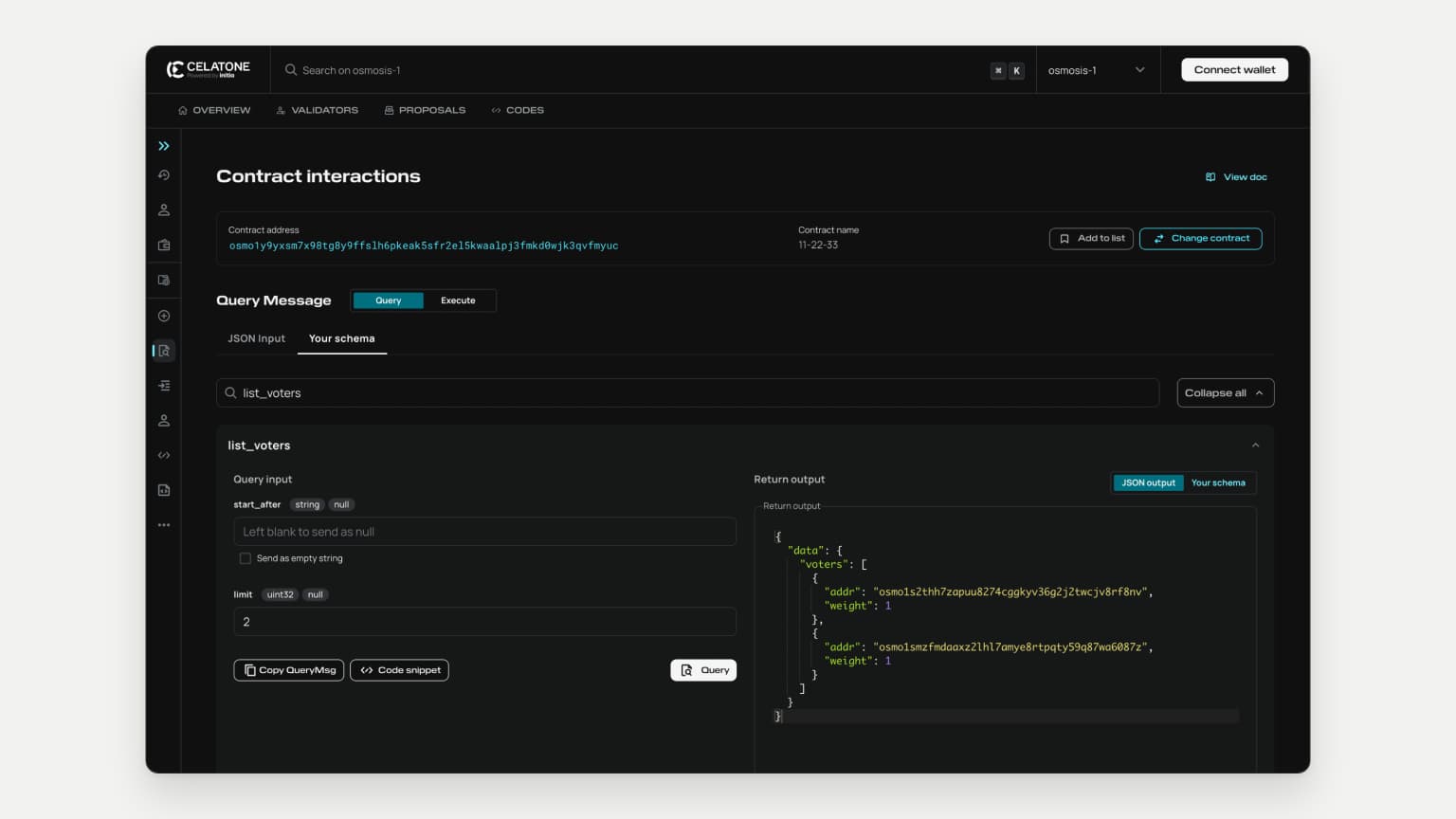
Seeing this gap, we built Celatone. Initially, we planned for it to be more of a developer tool, something developers or power users would use alongside an existing block explorer. The MVP was a smart contract explorer where users could inspect a contract's initialization parameters, deployment details, and available messages in one place. From there, they could select a message and query or execute it directly in Celatone with their chosen parameters.
As users began utilizing the MVP on Osmosis, we observed a growing demand for traditional block explorer features. In response, we added pages for accounts, blocks, transactions, and more, along with custom pages for specific chains. Over time, this feedback and usage led Celatone to become the primary block explorer for networks such as Neutron, Sei, and Initia.
Key Highlights
Query & Execute Shortcuts
While CosmWasm contracts do not have a schema file like Solidity's ABI, we discovered that querying a contract with an intentionally invalid message returns an error that lists all valid query options.
1{
... 1 line
3 "message": "Error parsing - expected one of threshold, proposal, list_proposals",
... 1 line
5}
Thus, we can simply make an invalid request, parse the error response, and show the output in the UI to achieve a similar result. We also found that we could take a similar approach when executing a contract, this time using the chain RPC's built-in simulation endpoint to achieve a similar result.
Request
... 10 lines
1--data-raw '{
2 "jsonrpc": "2.0",
3 "id": 512968928368,
4 "method": "abci_query",
5 "params": {
6 "path": "/cosmos.tx.v1beta1.Service/Simulate",
7 "data": "12fa010aa3010aa0010a242f636f736d7761736d2e7761736d2e76312e4d736745786563757465436f6e747261637412780a2b6f736d6f31353371756e78393565687a7138737277757739353375766c7a343436356b3861797765377979123f6f736d6f3179397978736d3778393874673879396666736c6836706b65616b3573667232656c356b7761616c706a33666d6b6430776a6b337176666d7975631a087b22223a207b7d7d12500a4c0a460a1f2f636f736d6f732e63727970746f2e736563703235366b312e5075624b657912230a2102b3ae8927aec11eefa356313d99b4b4f8508d5e071d2bf5c4f2945e6df021283712020a0012001a00",
8 "prove": false
9 }
10}'
Response
1{
... 5 lines
2 "jsonrpc": "2.0",
3 "id": 239961971917,
4 "result": {
5 "response": {
6 "code": 6,
7 "log": "rpc error: code = Unknown desc = failed to execute message; message index: 0: Error parsing into type cw3_fixed_multisig::msg::ExecuteMsg: unknown variant ``, expected one of `propose`, `vote`, `execute`, `close`: execute wasm contract failed [CosmWasm/wasmd@v0.53.3/x/wasm/keeper/keeper.go:436] with gas used: '85026': unknown request",
... 9 lines
8 "info": "",
9 "index": "0",
10 "key": null,
11 "value": null,
12 "proofOps": null,
13 "height": "57711686",
14 "codespace": "sdk"
15 }
16 }
17}
This gives us a similar result to the query shortcut, but for the ExecuteMsgs that the contract supports.
Once a user selects the message they want to query or execute, sending a message with an empty body will return the first required parameter for that function. In theory, we could recursively build the message object by parsing the error response and constructing the parameter object step by step. However, this approach has several downsides:
- Slow: The recursive method would be slow because each iteration requires a new network call.
- Incomplete: This approach does not expose any optional parameters that the user might want to set.
- Lacks Context: The user would only receive the parameter name without any context about the parameter type, description, or default values.
Ultimately, we concluded that this approach was impractical and decided to only perform the initial message list parsing.